The BCBA's Guide to HIPAA-Compliant ABA Practice Management (2026)
Most ABA agencies assume they're HIPAA compliant because they use CentralReach. They're usually wrong — not about the EHR, but about everything around it. A plain-language breakdown of what HIPAA actually requires for ABA practices, where most agencies have gaps, and how to close them.

Most ABA agencies I talk to assume they're HIPAA compliant because they use CentralReach or a similar EHR. They're usually wrong — not about the EHR, but about everything around it. The text threads with parents. The Google Drive folder with session notes. The intake form that emails a PDF to an unsecured inbox. HIPAA doesn't care that your data collection software is compliant if your caregiver communication tool isn't.
I'm a BCBA and a software developer. I've spent years on the clinical side of ABA before building HIPAA-compliant tools for practices like the ones I worked in. This guide is what I wish someone had handed me when I was running programs at a mid-size agency — a plain-language breakdown of what HIPAA actually requires for ABA practices, where most agencies have gaps, and how to close them without rebuilding your entire tech stack.
What HIPAA Actually Covers in an ABA Practice
HIPAA applies to any "covered entity" that handles Protected Health Information (PHI). If you're billing insurance, you're a covered entity. If you're collecting session data tied to a client's name and diagnosis, that data is PHI. If you're using software that stores or transmits that data, you need a Business Associate Agreement (BAA) with that vendor.
For an ABA practice, PHI includes more than most agencies realize:
- Client names paired with any health or behavioral data (yes, session notes are PHI)
- Caregiver contact information when combined with their child's diagnosis or treatment details
- Photos or videos of clients used for instructional or data purposes
- Insurance information, authorizations, and billing records
- Supervision logs if they identify a specific client's program
- Any identifiable intake data — diagnoses, evaluations, referral notes
The most common misunderstanding: PHI is not just what lives in your EHR. It's any digital or physical record that can connect a client's identity to their health information. That includes your inbox.
The Four Areas Where ABA Agencies Most Often Have HIPAA Gaps
1. Caregiver Communication Tools
The single most common HIPAA gap I see in ABA practices is caregiver communication. Agencies use standard text messaging, WhatsApp, Gmail, or a general-purpose messaging app to communicate with parents about their child's programming. All of these fail HIPAA's technical safeguard requirements unless the vendor has signed a BAA and the tool encrypts messages in transit and at rest.
A BAA is not optional. If your communication tool doesn't offer one, using it for anything that references a client's treatment — even a brief update like "Johnny did great with his manding today" — is a HIPAA violation.
HIPAA-compliant options for caregiver communication include tools that offer BAAs and encryption: TigerConnect, Spruce Health, Klara, or a custom-built parent portal built on a HIPAA-compliant infrastructure. The right choice depends on your practice size and workflow — there's no universal answer, but the wrong choice is the tool your staff is currently using because it's convenient.
2. Data Collection and Session Note Tools
CentralReach, Rethink, ABA Desk, and Catalyst are all HIPAA-compliant and will sign BAAs. The gap here isn't usually the primary data collection tool — it's the shadow system that gets used alongside it.
I've seen practices where BCBAs collect clean data in CentralReach, then paste session summaries into a shared Google Doc to send to parents. Google Workspace can be HIPAA-compliant if your organization has Google's Business Associate Agreement in place (it's available with Google Workspace for Business and above — not free Workspace). Most small practices have not executed this. That shared folder is a gap.
The rule to apply: if PHI touches a tool, that tool needs a BAA. Audit every tool in your workflow, not just your EHR.
3. Intake Forms and the New Client Pipeline
Many ABA agencies still handle intake with a PDF form that gets emailed back and forth, or a Google Form that sends responses to a standard Gmail account. Both are HIPAA violations unless configured correctly.
A HIPAA-compliant intake workflow needs:
- A form tool that signs a BAA (JotForm with HIPAA tier, FormAssembly, or a custom intake form with HIPAA-compliant hosting)
- Encrypted transmission from form submission to your intake team
- No PHI passing through an unsecured email inbox
- An audit trail showing who accessed the intake data and when
Keragon is one tool that does this well for ABA practices specifically — it's a no-code HIPAA-compliant automation platform that handles intake routing, insurance verification triggers, and scheduling workflows without PHI leaving a secured environment. It's what we use to build intake pipelines for our ABA clients because it can be configured quickly and it's BAA-ready out of the box.
4. Billing and Insurance Authorization Workflows
The billing side of an ABA practice is where HIPAA and payer requirements overlap most heavily. Authorization management, claims submission, and ERA/EOB processing all involve PHI — and the staff handling these workflows often aren't thinking about HIPAA as they jump between systems.
Common gaps in billing workflows:
- Authorization renewal reminders sent via unencrypted email to the clinical team
- Claims data exported to unencrypted spreadsheets for tracking
- Billing staff accessing PHI from personal devices without a mobile device management policy in place
- Legacy clearinghouses that have not been asked about BAA status
The billing system itself (CentralReach billing, Kareo, AdvancedMD) is usually compliant. The manual processes built around it often aren't.
BACB Supervision Requirements and PHI: A Specific Gap Most Agencies Miss
Supervision logs present a unique compliance challenge that isn't covered by most HIPAA guides, because most HIPAA guides aren't written by BCBAs.
The BACB requires supervisors to maintain documentation of supervision hours for RBTs and BCaBAs. That documentation typically includes session activities, client program areas covered, and performance feedback. When those logs reference specific client programs by name or ID, they contain PHI.
Most agencies track supervision hours in spreadsheets or, if they're organized, in a separate module within CentralReach. The problem arises when supervision logs are stored or shared outside of a HIPAA-compliant system — emailed between supervisor and supervisee, stored in a personal Google Drive, or tracked in a tool that hasn't been evaluated for HIPAA compliance.
A proper supervision tracking system needs to either abstract the client reference (using client IDs rather than names in the supervision log) or store the full log in a HIPAA-compliant environment with appropriate access controls.
Building a HIPAA-Compliant ABA Tech Stack
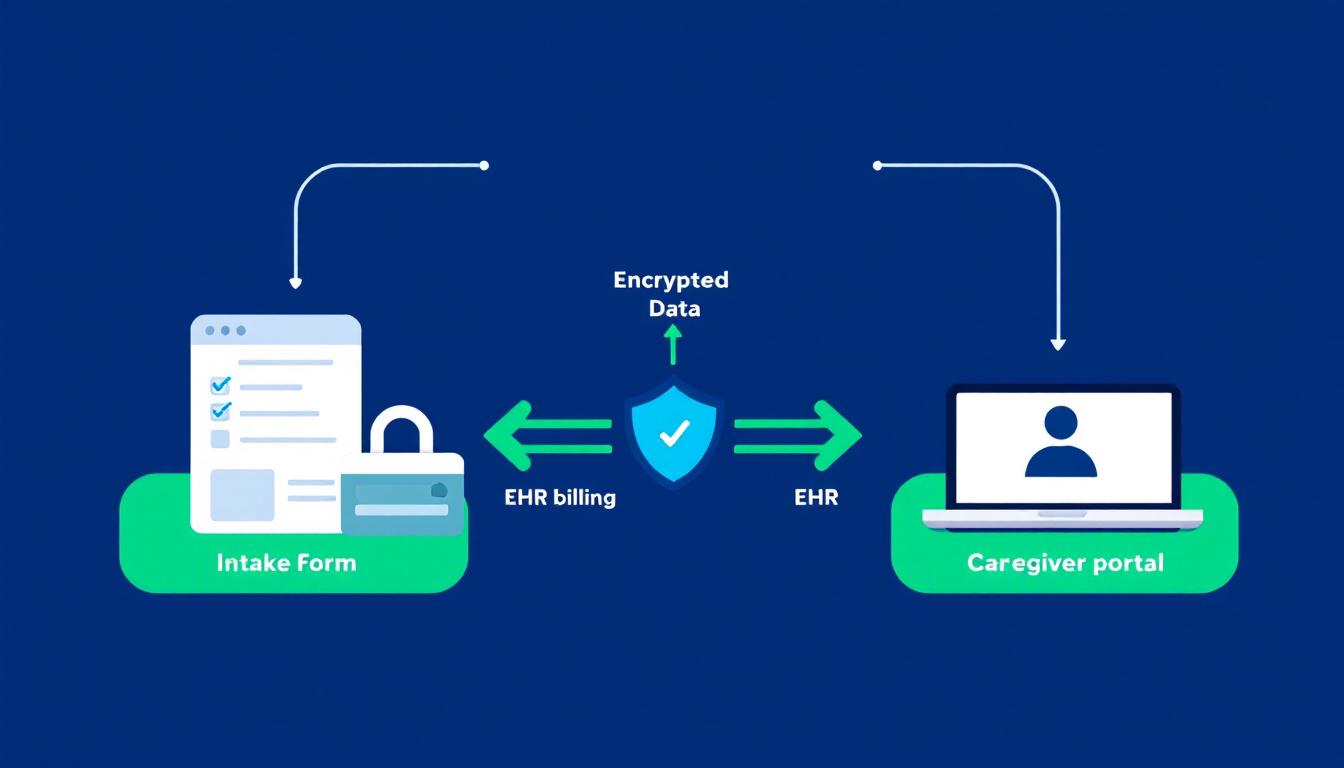
You don't need to replace everything. Most ABA practices can close their HIPAA gaps by auditing existing tools, executing missing BAAs, and replacing a small number of high-risk tools in their communication and intake stack.
Here's what a compliant ABA tech stack looks like at the layer level:
Core Clinical Layer (usually already compliant)
- EHR / data collection: CentralReach, Rethink, ABA Desk, Catalyst — all offer BAAs and HIPAA-compliant data environments
- Billing: Any of the above, or a dedicated billing software with BAA
Communication Layer (highest risk — review first)
- Caregiver messaging: Replace with a HIPAA-compliant messaging tool (TigerConnect, Spruce, Klara, or a custom parent portal)
- Internal team communication: Standard Slack is not HIPAA-compliant by default — Slack requires a BAA and specific configuration, or use an alternative
- Email: Google Workspace with BAA executed, or Microsoft 365 with HIPAA configuration — not free Gmail
Intake and Workflow Layer (moderate risk — often overlooked)
- Intake forms: JotForm HIPAA tier, FormAssembly, or a custom form on HIPAA-compliant hosting
- Workflow automation: Keragon (BAA-ready, built for healthcare) or Zapier for Healthcare (BAA available with Team plan and above)
- Document storage: Google Drive with BAA, SharePoint with HIPAA configuration, or a HIPAA-compliant document management tool
Supervision and HR Layer (often entirely overlooked)
- Supervision tracking: Either a CentralReach-native module configured correctly, or a custom tracking system with appropriate access controls and audit logging
- Credentialing: Any tool storing BACB certification copies, background checks, or licensure data needs to be evaluated against HIPAA if the staff member is also a client-facing provider
The BAA Audit: Where to Start
The fastest way to close HIPAA gaps is a systematic BAA audit — a list of every tool your practice uses that touches PHI, and confirmation that a BAA is in place for each one.
Start with this list and mark each as BAA-confirmed, BAA-needed, or BAA-not-possible (meaning you need to replace the tool):
- EHR / data collection platform
- Billing software or clearinghouse
- Caregiver communication tool
- Email provider
- Internal messaging tool (Slack, Teams, etc.)
- Document storage (Google Drive, Dropbox, OneDrive)
- Intake form tool
- Scheduling software (if separate from EHR)
- Telehealth platform (if used)
- Any automation tool connecting the above
For any tool where BAA-not-possible: that's where the compliance risk is concentrated. Those are your replacement priorities.
When to Bring In a Developer
Most HIPAA gaps in ABA practices don't require custom software — they require executing BAAs and replacing specific tools. But there are scenarios where custom development is the right answer:
- Your caregiver communication needs don't fit any off-the-shelf tool. If you have specific workflow requirements (behavior program updates, data-sharing with schools, multi-caregiver access), a custom parent portal built on HIPAA-compliant infrastructure will serve you better than bending a generic tool to fit.
- Your intake workflow spans multiple systems and requires PHI to move between them. Custom Keragon workflows or a bespoke integration layer can automate this without PHI leaving a secured environment.
- You need a supervision tracking system that meets BACB requirements and is HIPAA-compliant. This specific combination doesn't exist as a turnkey product — it needs to be built for your practice's specific supervision ratio requirements and client program structure.
- You're growing and your current patchwork of compliant tools no longer scales. At some point, the cost of managing a dozen separate vendor relationships and their BAA renewal cycles exceeds the cost of a unified custom platform.
At Auth Software, every engagement starts with a HIPAA architecture review — before a line of code is written. Our founder is a BCBA, which means we understand the BACB requirements, the CentralReach ecosystem, and the clinical workflows before the technical conversation begins. If you're not sure whether your current stack is compliant, or if you have a specific workflow that no existing tool solves, reach out for a free discovery call.
We also have a detailed overview of how HIPAA-compliant AI automation works for healthcare practices, and a broader guide to AI automation for business operations if you want to see what's possible beyond compliance basics.
Continue reading
CentralReach vs. Custom ABA Software: When Your Practice Has Outgrown Off-the-Shelf
CentralReach is the dominant EHR in the ABA market for good reason. But there's a specific set of scenarios where it stops being the right choice — and when practices hit those scenarios, they usually don't realize it until they've already built a year's worth of workarounds.
AutomationHow ABA Agencies Are Automating Billing, Intake, and Supervision Tracking with AI (2026)
The average ABA agency running 20 active clients has at least three manual workflows that consume 10–15 hours of admin time per week: authorization renewals, new client intake, and BACB supervision tracking. In 2026, all three are automatable. Most practices haven't automated any of them.
AutomationAI for ABA Practice Management: Scheduling, Billing, and Documentation Automation
Running an ABA practice means managing prior authorizations that expire mid-treatment, session notes that take longer than the sessions, and scheduling complexity that most practice management software wasn't built for. Here's what AI automation actually changes at the practice level — and what it doesn't.